| About |
| Broadcasters |
| Free Trial |
| Purchase |
| News |
| Documentation |
| OAS Audio API |
 |
OAS Playout Manager Audio Control and Management..... |
| OAS Playout Manager is the application
included with the system designed to manage all the audio which Playout
works with. It also is the central point for the creation of playlists
and voicetracking. Playout Manager provides the following key features:
|
|
Import Engine
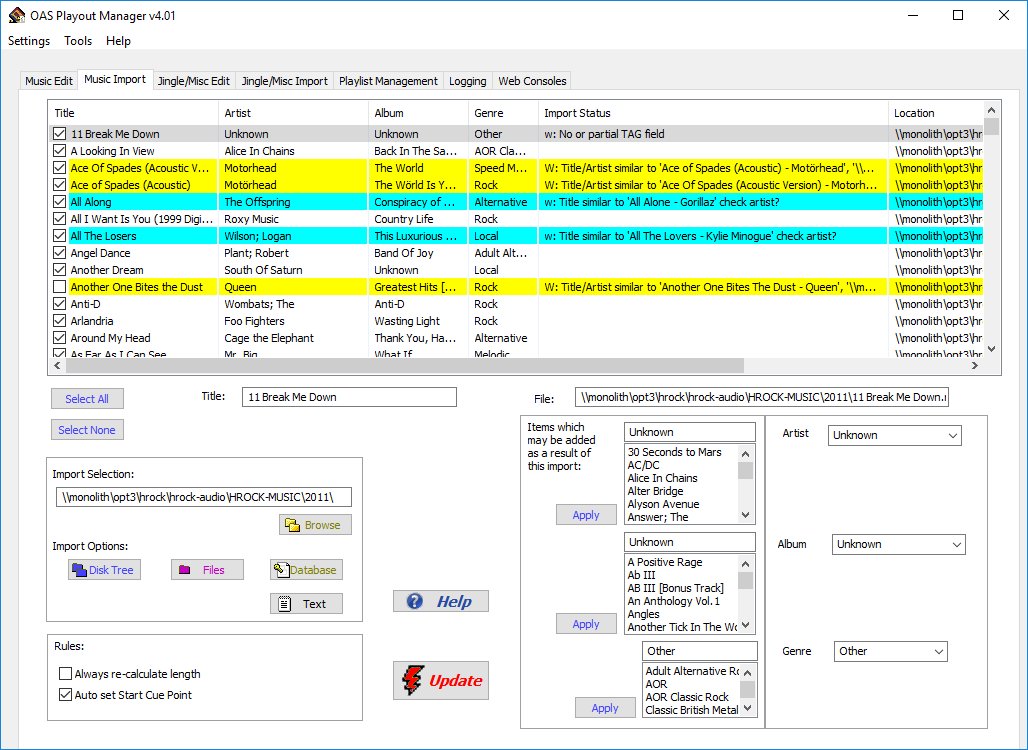
Prior to using Playout, the first step is to import your music, jingles and other audio into the system, this is accomplished via Playout Manager's importers. There are two of these - one dedicated to music and the other for jingles, adverts and other miscellaneous audio however they both work in a similar manner. Firstly, you tell the system the folder where your physical audio files are located (these must have already been converted or ripped from CD). Playout Manager will then search for all the recognized audio files in this folder and all the sub-folders. This process also extracts any metadata held within the audio files (this optional data includes the track Title and Artist information). The list of tracks is then displayed within the importer window. The importer also includes logic to look for identical or similar tracks which may already be present in the system (allowing for a degree of spelling mistakes or possible subtle re-wordings). Those tracks deemed to be similar are colour coded for easy review. The user now has the opportunity to select or de-select tracks prior to them being loaded into the system. Only when the Update button is pressed are the tracks actually stored into the Playout system. |
||||||||||||||||||||||||||||||||||||||||||||||||||
|
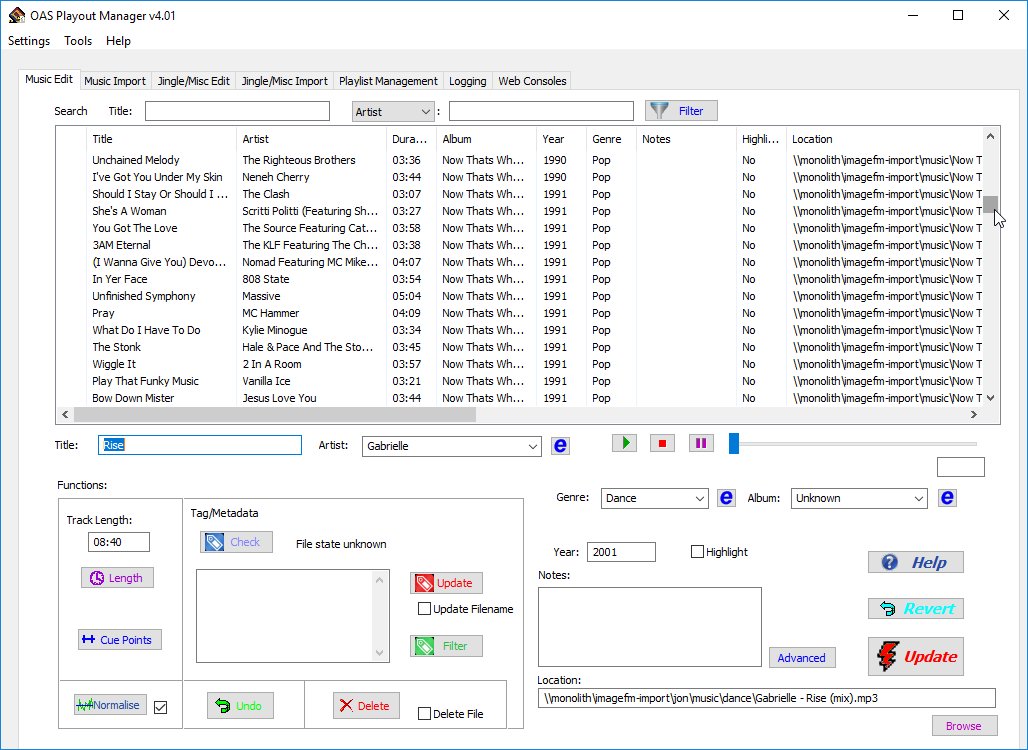
Once the audio has been loaded into the system, it is them possible to make changes to the information held against each track. Once again there are two editors for this purpose - one dedicated to music and the other for Jingles/Adverts etc. The editors allow the user to change any aspect of information held against a particular track, from altering the Title, Artist, Album fields etc. to physically updating the location of the audio file if it has been moved for any reason. Furthermore it is possible to make changes to any number of tracks at the same time. For example, given a set of tracks from a given album, the album name may be changed for all tracks simply by highlighting them and making the change just once. As with the importers, no changes are actually physically made to the system until the Update button is pressed. The editors also provide the capability for setting Playout specific aspects for the tracks including the Cue points and Normalisation levels. |
||||||||||||||||||||||||||||||||||||||||||||||||||
|
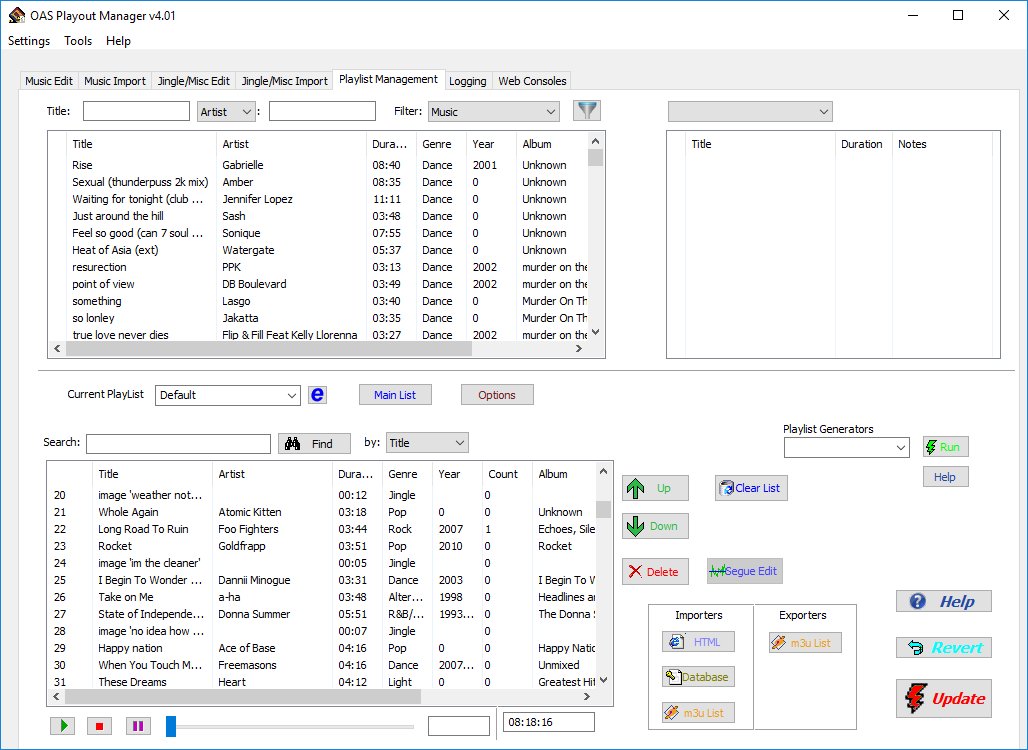
Playlists are a central component to the Playout system and the Manager software has a fully featured editor to enable any number of these to be constructed. A playlist can be constructed either manually by picking and choosing the tracks (and optionally any jingles, adverts etc.) which a presenter wishes to include in their broadcast. A time indicator gives a rough summary of the amount of audio included in a given list. Alternatively, playlists may be automatically produced via the use of a playlist generator. These additional plug ins allow for many hours of music to be produced based upon a set of rules (eg. which tracks must/must not be included) and logic held within the generator itself. This predominantly used during periods of unattended operation ie. automation. The Playout system ships with a single playlists generator which is designed to produce a semi-random playlists, evenly spacing out tracks by identical artists for a specified duration which would probably suite many western music based pop stations however we have also written customised generators targetted towards a given stations needs. For example, the community station Unity101 have a special version designed around the Asian music they play. It is also possible to schedule when Playout should automatically execute a given playlist. Playlists may also be imported into the Manager tool from other third party applications which support the industry standard m3u playlist format. It is also possible to export playlists in this same format and into HTML web pages such that they can be easily embedded into a station's website if desired. A playlist also forms the starting point in the creation of a voicetracked programme. |
||||||||||||||||||||||||||||||||||||||||||||||||||
|
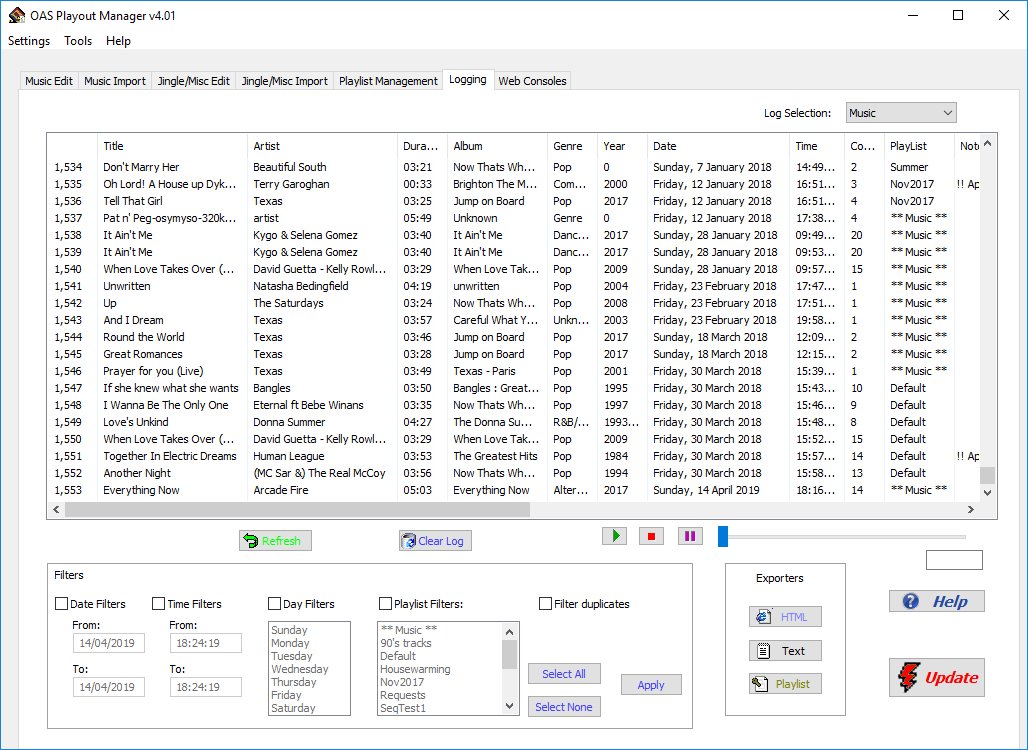
Playout Manager provides a dedicated editor to examine and manipulate the music logs generated by Playout. Tracks may be sorted by date/time and occurrence providing a complete profile of music being played over any given period. Filters are also available to remove tracks from the view based on time/date and Playlist. Any given view may also be exported to text or HTML format ready for inclusion on a web site - for example:
You can also use the logs as a basis for producing a playlist eg. most played tracks in a given period. |
| Cue Points and Normalisation
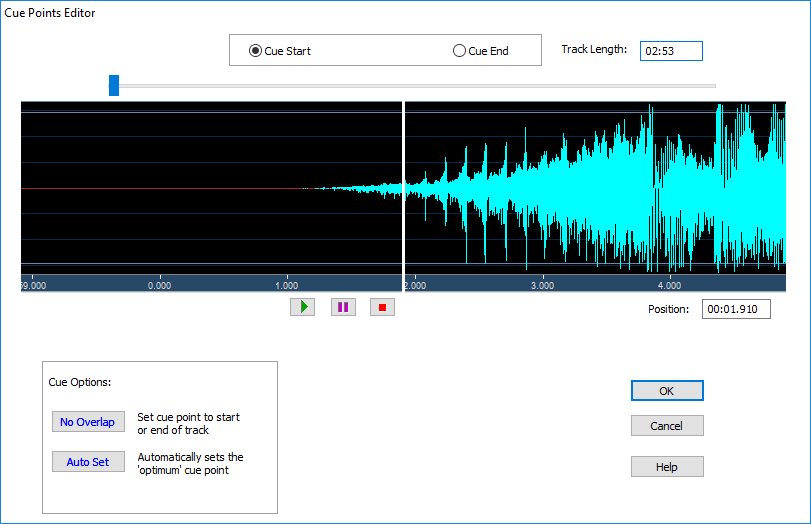
During the import process, the system automatically calculates the Start Cue and End Cue points for the track. The Start Cue is designed to skip over any leading silence that may be part of the track such that when playback commences it begins instantly. The End Cue is only used when Playout is in Auto mode and is used to trigger the playback of the next track in the sequence such that they overlap each other seamlessly. However there may be occassions when these automatically calculated values are not correct - for example a track which finishes abruptly or has a very quiet start. As such, they can be manually edited through the Edits tab (both music and jingles) using a graphical cue points editor.
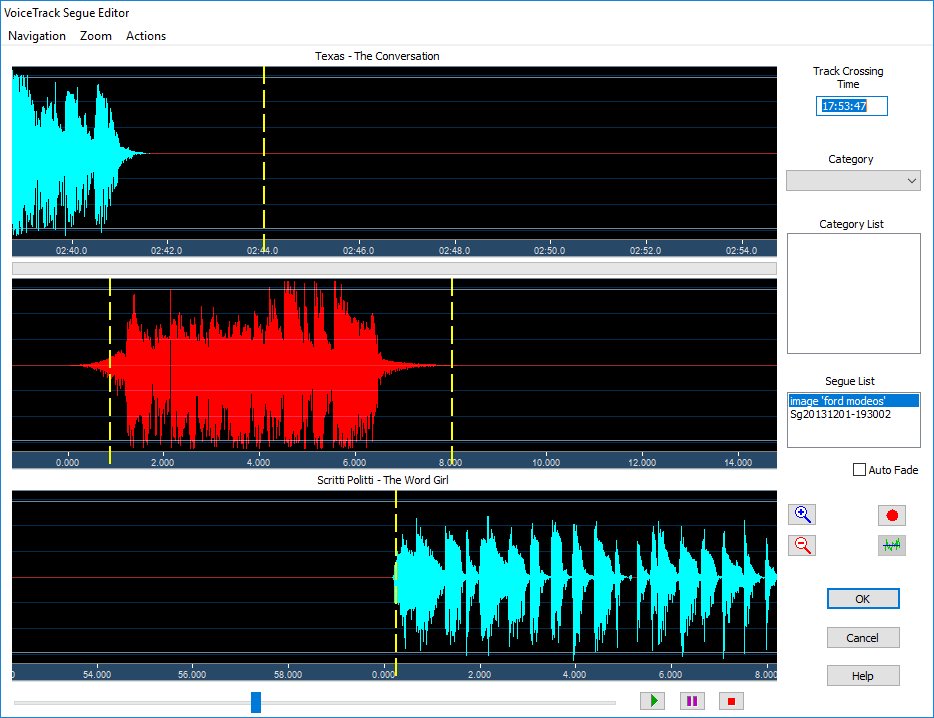
Normalisation ensures that the output levels of all tracks use the full amplitude range that is available ie. they should all play back at roughly at the same volume level. Generally normalisation should be applied during the CD ripping/encoding stage of the audio however if this has not been done or cannot be done (eg. the track has been downloaded) then Playout offers the ability to perform this normalisation during playback. Prior to this, the Manager tool needs to scan the tracks to work out the correct levels to apply during playback. This information is then stored in the systems database. Both the Cue point settings and normalisation values can be written to the audio file's metadata such that in the event of catastrophic data loss or the tracks need to be re-imported to the system the values will be automatically extracted from the data held with the file. Voicetracking allows entire programmes to be pre-prepared by simply selecting the music you wish to include then recording and placing your links (or segues) at appropriate intervals between (or over) the tracks. Playout Manager provides all the tools you need to achieve this, allowing a voicetrack programme to be created from scratch or from an existing Playlist. Central to this is the voicetrack Segue Editor which allows you to record and place your segues at the correct points in the programme.
Voicetrack Segue Editor At any given time, the Segue Editor presents a graphical view of the overlap point between two audio tracks - at the point one finishes and the next one starts. From here you can then adjust how the tracks overlap and include any existing jingle or other pre-recorded audio clip anywhere within the two tracks with a simple mouse drag and drop operation. To include a 'link' (or segue) simply then record your segue using any Wave Editing software (not included) and drop it into the view at the appropriate point. Finally, preview how the link will sound using the play controls and save the changes. Any number of voicetrack programmes may be created and scheduled for broadcast at a later date and time. At this designated time, Playout will automatically execute the programme for you. |